

Scan documents in seconds,
with scanner quality.
It detects the edges, straightens the sheet and applies professional filters. Sign, organise and share without leaving the app: everything is processed on your phone, with nothing uploaded to the internet.
- No sign-up.
- Works offline.
- Your documents never leave your phone.
- No watermarks, not even on the free plan.
01 — Features
Write it down and forget it.
Get a PDF perfect PDF.
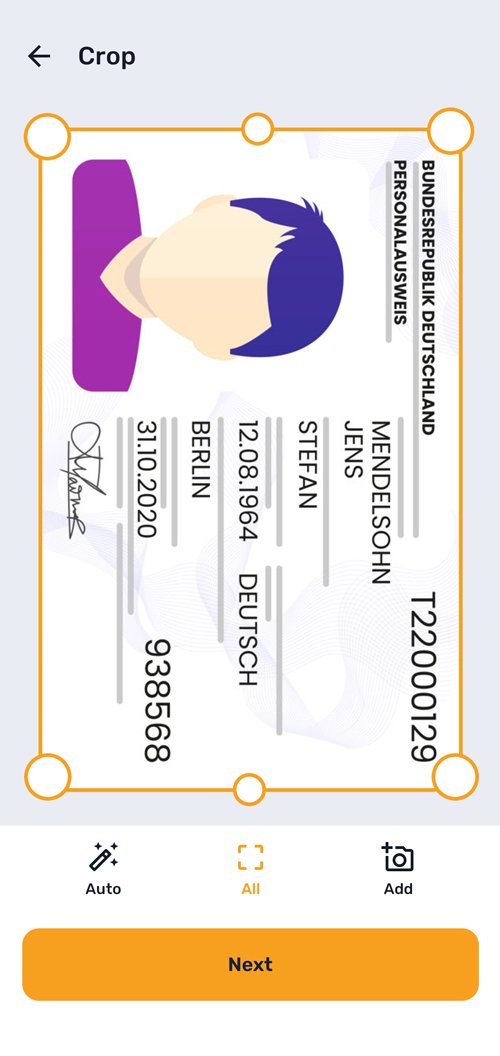
Detect, crop and straighten automatically. Manual crop with corners and edges, torch flash and a grid to line things up better.
See the scan modes-
Automatic edge detection It finds the sheet in the photo and cuts away the extra background. Free
-
Perspective correction A crooked photo comes out as a flat scan, with no manual corrections. Free
-
Automatic capture It takes the photo by itself once the document is still in frame. Free
-
Several pages in a row Photograph a whole document and review it all at the end. Free
-
Precise manual crop Adjustable corners and edges, with “Auto” and “All” buttons. Free
-
Torch and grid Off, auto, on or torch, plus a guide to line the sheet up. Free
-
Import and receive Loose photos from the gallery or in batches, password-protected PDF and content shared from other apps. Free
02 — Modes
The mode each sheet needs.
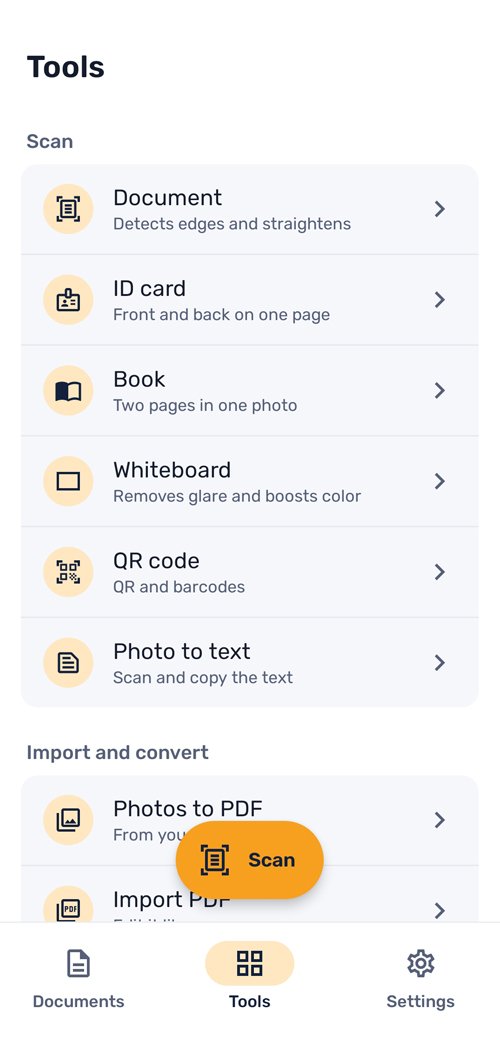
Six modes with their own treatment: sheets, ID cards, books, whiteboards, text and codes.
Document
Sheets, contracts, invoices and class notes.
ID Card
Front and back of your ID or licence together on one A4 at real size, ready to print.
- Pro
Book
Photograph two facing pages and split them into two separate pages.
- Pro
Whiteboard
It removes glare and boosts the colour of whiteboards and enamel boards.
- Pro
Extract text (OCR)
Scan and copy the text on the spot.
QR Code
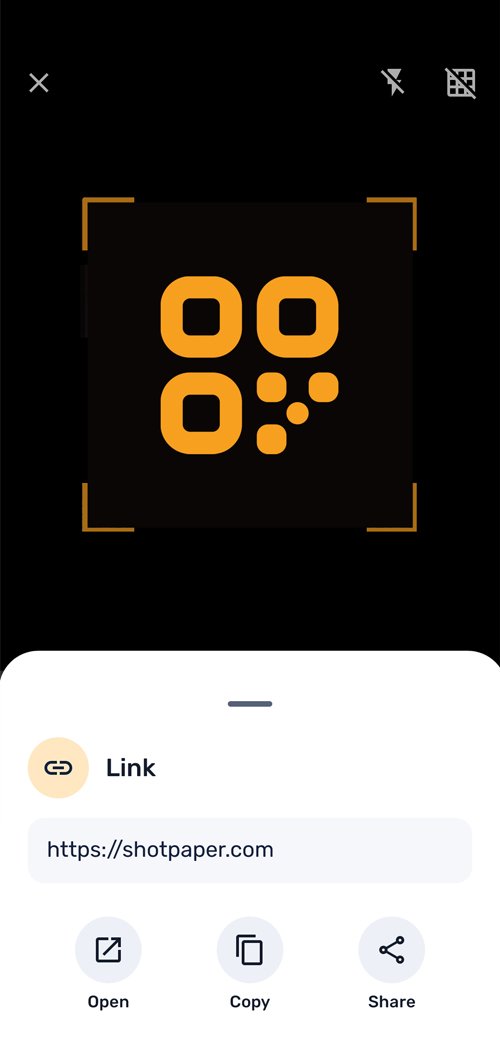
Read QR codes and barcodes, also straight from a gallery image.
03 — Filters
Nine filters.
A finish like a scanner.
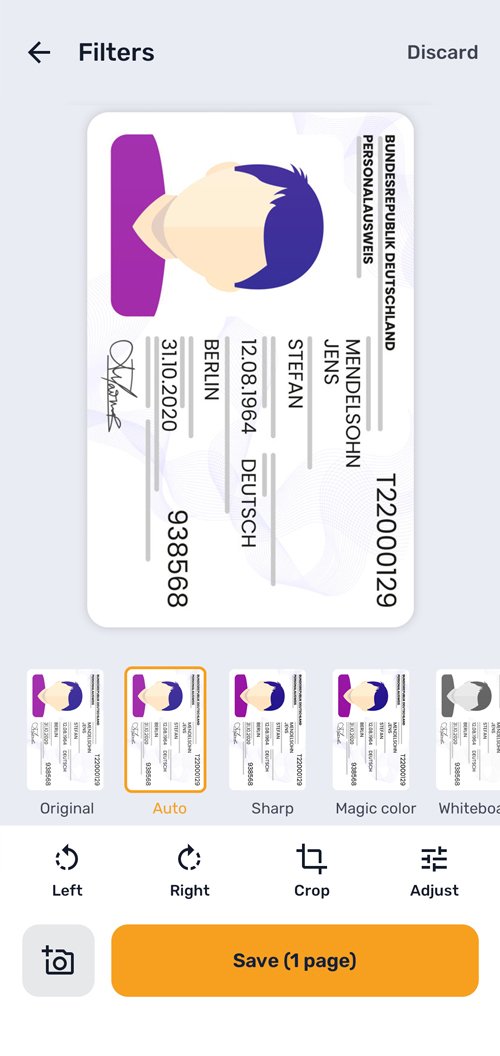
Auto detects the document type, removes shadows and clears the background. Sharp gives ID cards, cards and covers a proper scanner look.
The nine filters: Original, Auto, Sharp, Magic Colour, Whiteboard, Brighten, Greyscale, Black and white and Ink saver.
-
01
Smart Auto
It works out whether you are scanning paper, a card or a photo and picks the best treatment: shadows removed and background cleared.
-
02
Sharp
A proper scanner finish for ID cards, cards, receipts and covers.
-
03
Live preview
Every filter is previewed on your page before you apply it, with a scanner effect once you confirm.
-
04
Compare button
Press and hold to go back to the original and check the difference.
-
05
Brightness and contrast
Fine adjustments for documents with low light, stains or glare.
-
06
All at once
Turn pages and apply the same filter to the whole batch in a single tap.
04 — Several photos
Together, separate or in a single one.
Decide how you want each photo saved before you export. Switching is one tap.
-
One PDF with several pages One page per photo, in the order you took them. Free
-
All on the same page Ideal for tickets, cards and receipts that you want to keep on a single sheet. Free
-
Separate documents One photo, one PDF: every scan is saved separately. Free
05 — Sign and annotate
Signed and annotated in a minute.
Draw your signature once, save it and drop it wherever you need it. Watermark the document so nobody gets it confused.
-
Sign with your finger Save it and place it on any page; you can move and resize it. Free
-
Annotate the page Pen, highlighter, eraser, text, rectangle, circle, arrow and line, with colours, thickness, undo and redo. Pro
-
Text watermark Opacity, size and repeat across the whole page. For example, “Banking only”. Pro
06 — Text from your scans
From paper to clipboard.
Turn any page into text you can copy, edit and save as TXT. It runs on the phone itself, with nothing uploaded to the internet.
- Search by the text inside, not just by the name
- Latin-alphabet languages: Spanish, English, French, German, Italian, Portuguese and Turkish
- Processed on the device, with no servers and no connection
SCANNED OFFLINE The client accepts the terms of service and consents to the processing of their personal data in accordance with applicable law. Signed on 1 October 2024.
07 — Screenshots
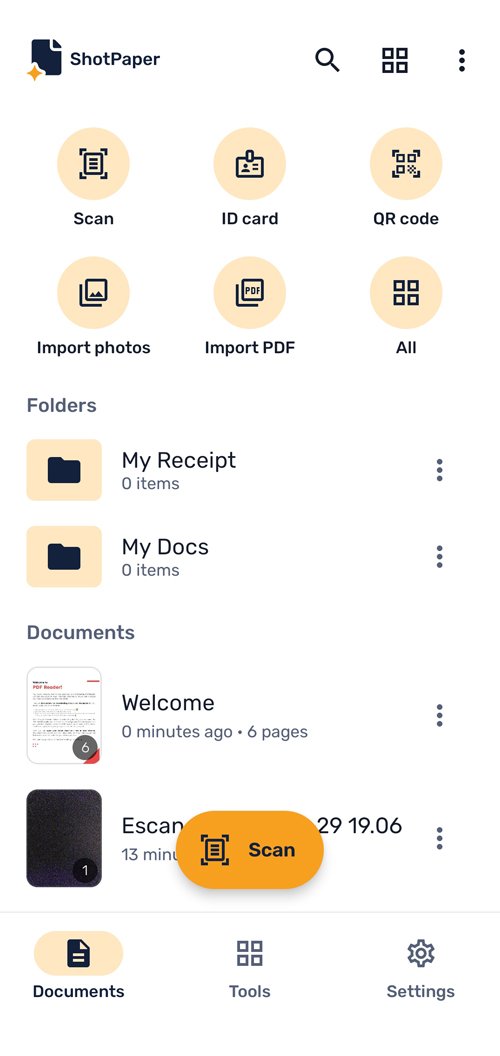
This is what ShotPaper.
From photo to PDF on a single screen, everything one tap away and without leaving the app.
08 — Organisation and export
Sort it once.
Find any time.
Folders, favourites and pages you move with your finger. And when you want to get it out: PDF, JPG, long image or TXT.
Folders and favourites
Group by project and flag what you use every day.
List or grid
Switch the view and sort by date or by name.
Rename and move
Rename, move, duplicate or delete in a single tap.
Reorder pages
Drag to change the order or repeat a photo.
Add pages
Add more photos from the camera or the gallery when you need them.
Merge documents
Combine several scans into one.
ProExtract pages
Pull pages out into a new document.
ProQuick access
Widget with a search box and shortcuts, available by long-pressing the icon.
Formats
PDF, JPG (una imagen por página), imagen larga y texto TXT.
Page size
Auto, A4, Letter or Legal, with optional white margins.
Quality
Low for sending on WhatsApp, medium, high or maximum.
Compress and protect
PDF con contraseña, exportar páginas concretas, compartir, guardar o imprimir.
09 — Privacy and design
Your documents do not go anywhere.
No account, no sign-up and no servers. It also works in airplane mode, and the interface adapts to one-handed use.
No account, no sign-up
You do not even give an email address. Install it and you can scan.
Processed on the phone
Everything, OCR included, is processed on your device.
No server
Your documents never go up to the internet. Not even to process them.
Offline
Scanning, editing, organising and exporting work with no signal.
Light or dark theme
Automatic following the system, or forced from Settings.
Built for one hand
Big buttons close to your thumb, so it works one-handed too.
10 — Plans
Scanning is free. Pro for everything else.
Scanning, cropping, filtering, ID Card, QR, signing and exporting are free with no watermarks. Pro removes ads and unlocks OCR, annotations and PDF tools.
Free
0 €
Forever · with ads
- Scanning, cropping and 9 filters
- ID Card and QR Code modes
- Import photos and PDF
- Export PDF and JPG, compress and print
- Sign documents
- No watermarks
Annual
Price set on Google Play · the app shows the monthly equivalent
- No ads
- Text from your scans (OCR), offline
- Book and Whiteboard modes
- Annotations and text watermark
- Merge, extract pages and long image
- PDF con contraseña y calidad máxima
ShotPaper Pro es una suscripción anual con 3-day trial gratis. Se cancela cuando quieras desde Google Play.
11 — Questions
Frequently asked questions
Is it free?
Yes. Scanning, filtering, signing and exporting to PDF is free with no watermarks. Pro adds OCR, advanced PDF tools and removes ads.
Do my documents get uploaded to the internet?
No. Everything is stored and processed on your phone, including OCR. You can use the app in airplane mode with no problem.
Do I need to create an account?
No. ShotPaper needs no sign-up and no login.
Does it work without internet?
Yes. Every scanning, editing, OCR, organisation and export feature works offline.
Can I scan both sides of my ID?
Yes. ID Card mode puts front and back on a single A4 sheet, at real size and ready to print.
How do I cancel ShotPaper Pro?
In Google Play, under Payments and subscriptions. Cancel whenever you like and it does not renew.
Which languages is it in and which devices does it work on?
ShotPaper requires Android 8.0 or later. The app is available in Spanish, English, French, German, Italian, Portuguese, Turkish and Arabic, with a right-to-left interface for Arabic. It uses your phone's language, which you can also change in Settings.
ShotPaper · Android 8.0+ · 8 idiomas
Stop taking photos.
Take scans.
Detect edges, straighten, filter, sign and share in a single app, offline and without uploading your documents anywhere.